
1. How do I sign up?
2. I’ve tried creating an account, but I received no email
3. Can I change my email address?
4. I’ve forgotten my password!
5. I’ve forgotten my username; how do I find it?
6. I would like to change my password!
7. Can I sign in with my email address?
8. What if I have more than one account connected to my e-mailadress?
Accounts and login
Answers to Frequently Asked Questions
Link to Login for all competitions we handle – go to: Photo Competition
Here you will find a link to all the individual competitions
1. How do I sign up?
Click “Sign up” and enter the username and email you would like to use. If the username already exists, you will be prompted to use another one. (For World Photographic Cup: signup on WPCs homepage)
2. I’ve tried creating an account, but I received no email
Please check your spam folder If it isnt there, please contact software@photo-competition.software
3. Can I change my email address?
Please contact software@photo-competition.software and send us your username and your new email address. For WPC, please note that Team Captains can change email addresses for their Teams members.
4. I’ve forgotten my password!
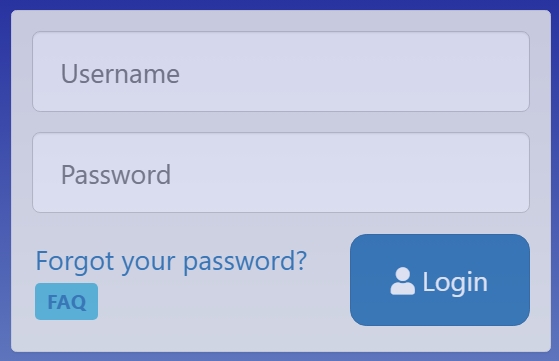
For security reasons, we do not store your password in clear. However, you can request a new password by clicking on the “Forgot your password?” text on the login page. You can then enter then enter your Username or email address.
5. I’ve forgotten my username; how do I find it?
Go to the “Forgot your password?” text and enter your email address. You will get an email with the information.
6. I would like to change my password!
Participants can change their password on their “My Profile” page when logged in. Other usertypes need to contact software@photo-competition.software.
7. Can I sign in with my email address?
When signing in, you must use your username and not our email address.
8. What if I have more than one account connected to my e-mailadress?
Enter your email address in “Forgot your password?” and select relevant assount. The username and new password for that account will be sent to you.