Needed information for Creating Competitions
 incl a Flexible formula calculating participation fees pr competition and specific information.
Paper indicates the information you need to provide for us to create a competition for you
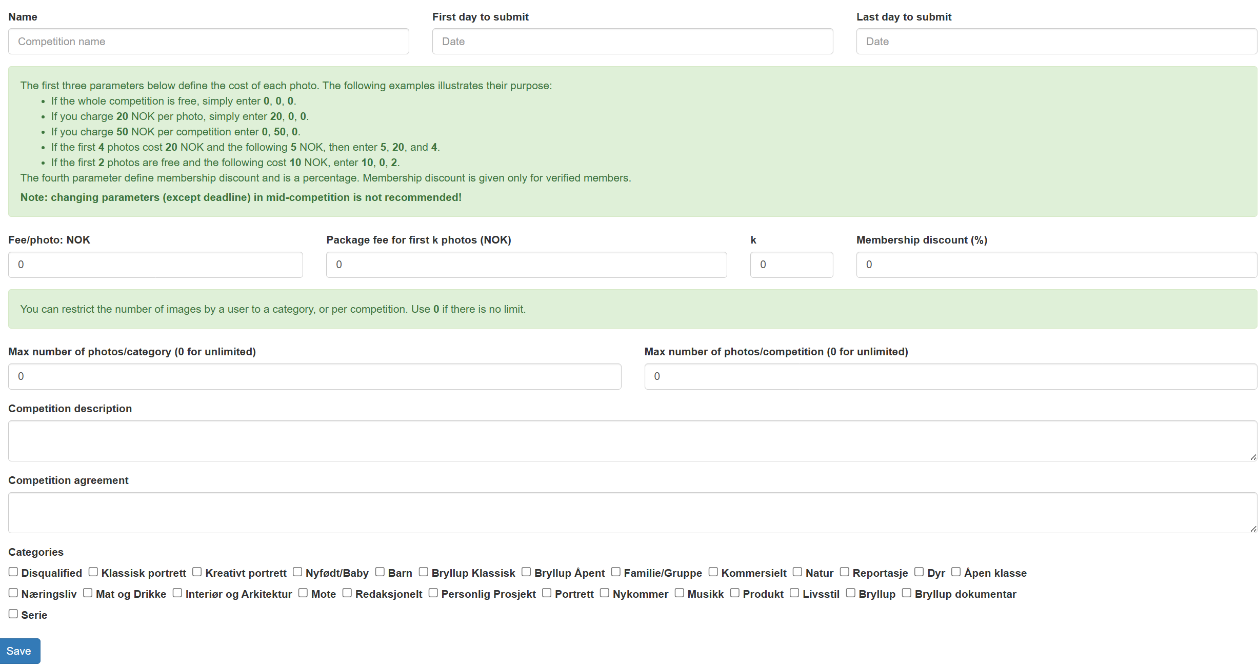
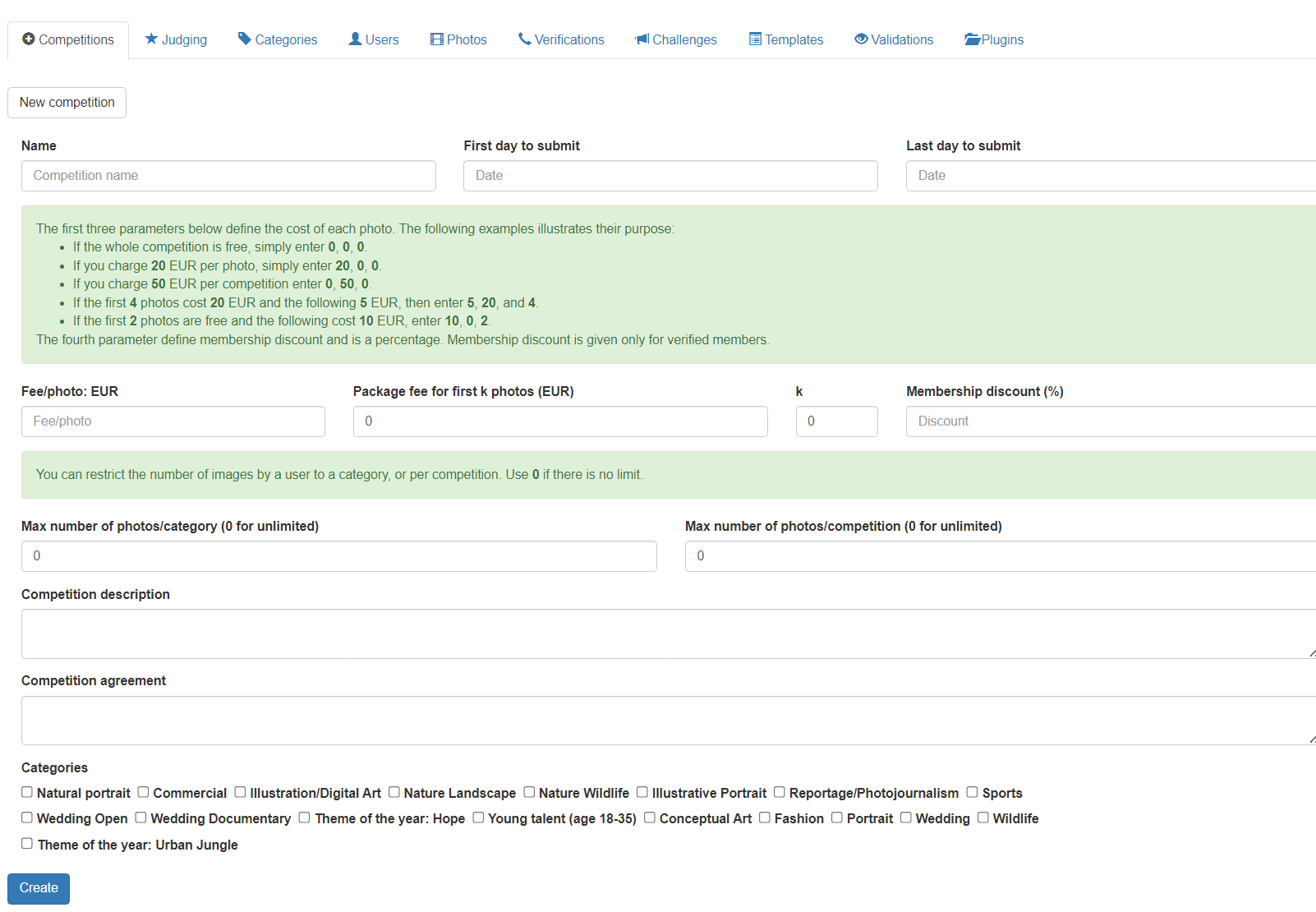
Figure 1: from Create Competition in the Competition Tab
Please note that any information provided when entering in “Create Competition” will only relate to that specific competition. This also means that the system can, at the same time, handle different competitions with different information/parameters. No changes of Competition parameters during a competition (except extending deadline is possible if needed).
Basic information for specific competition:
Name: for example Photo competition 20xx-edition
First day to submit: First day participants submit upload images to this specific competition
Last day to submit: Last day participants submit upload images to this specific competition
Competition description: Give a description of this specific competition, for example “annual”, “local”,
“online”, “age group” or what defines this competition
Competition agreement: The agreement participants must agree to in order to participate, for example
allowing organizer to use images in promotion, accepting the competition rules
or any other the organizer would like to emphasize
Categories: Which categories is available in the specific competition, categories created in
“Categories” tab
Regulating number of images in a competition and/or category:
Max number of photos/categories: for example 8 images in each category – or “0” for unlimited
Max number of photos/competition: for example a total of 20 images divided over all categories
– or “0” for unlimited
The parameters may be combined. Can be a good idea to include this information in writing as part of the “Competition description”.
Samples:
- 4 images per category is only limitation, so with for example 10 categories a participant may enter 40 images total (entering 4 in “Max number of photos/category” and “0” in Max number of photos/competition”)
- 40 images in competition is only limitation, which may be divided any possible way among the categories
(entering “0” in “Max number of photos/category” and “40” in Max number of photos/competition”) - 4 images in a category and 20 images in the competition in a total of 15 categories
(entering “4” in “Max number of photos/category” and “20” in Max number of photos/competition”)
Regulating participation fees:
Fee pr photo (Currency): Single image price
Package fee for first “k” photos (Currency): Price for example up to “4” photos (k), so in this
sample price is the same for 1, 2, 3 or 4 images
“k” for example 4 images in each category – or “0” for
unlimited
Membership discount (%): if (verified) members get a discount, always in %
The parameters may be combined. Can be a good idea to include this information in writing as part of the “Competition description”.
Samples:
The first three parameters below define the cost of each photo. The following examples illustrate their purpose:
If the whole competition is free, we simply enter 0, 0, 0.
If you charge 20 EUR per photo, we simply enter 20, 0, 0.
If you charge 50 EUR per competition, we enter 0, 50, 0.
If the first 4 photos cost 20 EUR and the following 5 EUR, we then enter 5, 20, and 4.
If the first 2 photos are free and the following cost 10 EUR, we enter 10, 0, 2.
The fourth parameter defines membership discount and is a percentage.
Membership discounts are given only for verified members.